
TL;DR

Get travel and outdoor gear delivered free with Prime
- Fast, free delivery on millions of items
- Prime Video, Amazon Music and more included
- Member-only deals all year
Prebuilt AI workstations often match or beat DIY builds on price due to market shortages and bulk buying. Your decision depends on whether you prioritize speed, customization, or control over upgrades and repairs.
Imagine you’re staring at a mountain of parts, wondering if the time and hassle are worth it. Or maybe you just want to power through your AI project without fuss. The big question in 2026? Should you pull apart a machine yourself or buy one that’s ready to go? The landscape has shifted, and the decision is more complex — and more important — than ever. Build vs Buy a Prebuilt AI Workstation
This isn’t just about saving a few bucks or avoiding assembly. It’s about balancing speed, control, cost, and confidence. You might want to consider whether building or buying an AI workstation aligns with your priorities. Whether you’re a hobbyist, a startup founder, or a researcher with tight deadlines, understanding the real trade-offs can save you headaches and money.
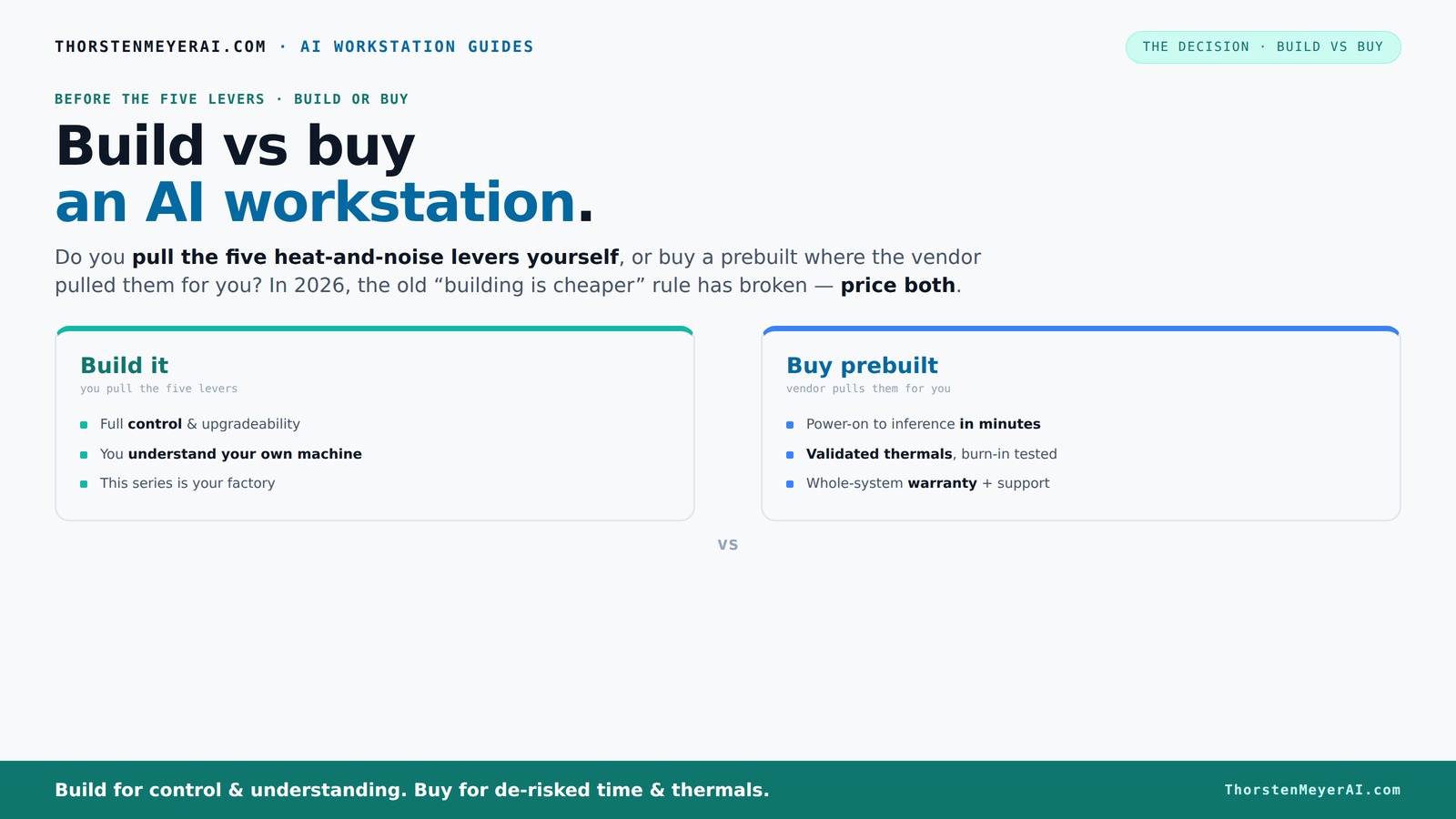
Build vs buy
an AI workstation.
The real question behind this whole series: do you pull the five heat-and-noise levers yourself, or buy a prebuilt where the vendor pulled them for you? And in 2026, the old “building is cheaper” rule has broken. Match your situation in Part 3.
Key Takeaways
- Component shortages in 2026 have made prebuilt AI workstations often as affordable as DIY builds, sometimes even cheaper.
- Building your own system offers maximum control over noise, cooling, and future upgrades, but requires time and expertise.
- Prebuilts provide validated thermal performance, warranties, and immediate usability, ideal for time-sensitive projects.
- Compare total costs and consider long-term support before deciding, as the cheapest upfront option may not be the best overall choice.
- Focus on GPU VRAM, cooling, and support quality — these are the key to a reliable, high-performance AI workstation.
As an affiliate, we earn on qualifying purchases.
Why Building Might Not Be Cheaper Anymore in 2026
Building your own AI workstation used to be the no-brainer cost winner. Not anymore. Component shortages and bulk buying have caused prices for high-end GPUs, DDR5 RAM, and SSDs to skyrocket. What used to cost under $1,000 now easily pushes past $1,250 for the same specs.
Major vendors like Dell and Puget have bought in bulk and locked in prices before shortages hit, allowing them to offer systems at prices that are tough to beat or match. To explore options, see how build vs buy a prebuilt AI workstation. So, the classic rule — build cheaper than buy — no longer holds true without a detailed comparison.
For example, a custom build with a mid-tier GPU and 64GB RAM might cost about $2,000 today, but a prebuilt with similar specs can come in around the same or even less when factoring in warranty and support. You need to compare your exact setup now, not rely on past assumptions.
Beyond raw costs, consider the implications of market volatility. When component prices fluctuate unpredictably, DIY builds can become more expensive or time-consuming due to delays and the need for troubleshooting. Conversely, prebuilts often have fixed prices and tested configurations, offering more predictable budgeting and less risk of hidden costs down the line.
As an affiliate, we earn on qualifying purchases.
Who Pulls the Levers? Building vs Buying and Thermal Mastery
The real question isn’t just about price — it’s about control. When you build your own AI workstation, you’re the one pulling all the levers: undervolting GPUs, choosing cooling, setting fan curves, and optimizing airflow. This level of control allows you to tailor your system to specific needs, such as minimizing noise during long training runs or maximizing thermal efficiency for sustained performance. However, this requires a deep understanding of hardware and thermal dynamics. Poorly calibrated cooling or undervolting can lead to thermal throttling, reducing performance and risking hardware damage.
Prebuilt systems, on the other hand, come with these levers already pulled by pros. Companies like Lambda or BIZON run rigorous testing, optimize thermal management, and even add water cooling for quieter, cooler operation. They validate the system for sustained AI workloads, which means you get a machine that’s been fine-tuned for high performance without the guesswork. This validation reduces the risk of overheating or instability, especially during prolonged intense workloads. For more insights, check out build vs buy a prebuilt AI workstation. The tradeoff is that you relinquish some control over fine-tuning, but gain reliability and peace of mind. For many users, especially those without extensive hardware expertise, this ready-to-run validation can be a significant advantage, ensuring consistent performance and longevity without the need for ongoing tinkering.
As an affiliate, we earn on qualifying purchases.
Prebuilt: Ready to Use or Just a Shortcut?
Prebuilt AI workstations are the plug-and-play heroes. They arrive with your OS, AI stacks (CUDA, TensorFlow) preinstalled, and a tested, optimized setup. If your time is worth more than a few hundred dollars, this can be a game-changer. The immediate availability of a fully configured system means you can start training models or running simulations within hours of setup, significantly reducing project lead times. Learn more at build vs buy a prebuilt AI workstation. This can be especially critical in competitive research or business environments where time-to-results directly impacts outcomes.
For example, a BIZON system can be turned on and start inference immediately, saving days of setup and troubleshooting. Plus, the warranty and support mean less stress if something goes wrong during a critical project. This assurance of operational stability and the reduction of unforeseen technical issues can translate into saved costs and more predictable project timelines.
But beware: some prebuilts cut corners on components or use proprietary parts, which can limit future upgrades or repairs. Always check the vendor’s QA process and component quality. For guidance, see how build vs buy a prebuilt AI workstation. The key is to balance convenience with long-term flexibility. A system that’s easy to deploy today but impossible to upgrade tomorrow might not be the best investment if your needs evolve rapidly or if hardware longevity is a priority.
As an affiliate, we earn on qualifying purchases.
Frequently Asked Questions
Is a prebuilt AI workstation worth it?
Yes, if you need to start working immediately, want validated performance, and prefer support and warranty coverage. It reduces setup time and lowers the risk of compatibility issues, especially for complex multi-GPU setups.
When is it cheaper to build than buy?
Building makes sense when component prices are stable or lower than prebuilt options, and you have the time and skills to assemble and tune the machine. During market shortages, prebuilts often match or beat DIY costs. Additionally, if you value the learning process, customization, or have specific hardware requirements, building can be more cost-effective in the long run, especially when you can reuse parts or upgrade incrementally.
Which specs matter most for AI workstations in 2026?
GPU VRAM and CUDA cores are critical for large models. CPU cores help with data prep. RAM capacity impacts dataset handling. Cooling and power supply quality ensure stability under load.
Can I upgrade a prebuilt later?
Many prebuilts are upgrade-friendly, but some use proprietary parts. Always check if the vendor supports standard components and offers upgrade options before buying. Consider future expandability—systems with open architecture and standard connectors are easier to upgrade as your needs grow.
Are prebuilts reliable or use low-quality parts?
Reputable vendors test and validate their systems thoroughly, often exceeding DIY standards. However, always research specific models and reviews to avoid corners cut on components or cooling. Choosing established brands with solid warranties ensures better reliability and support over time, reducing the risk of premature failures or compatibility issues.
Conclusion
In 2026, the choice between build and buy isn’t just about saving money — it’s about what you value most. Want instant power and support? Prebuilt is your friend. Prefer control and customization? Building still has its charm.
Remember, the right system is the one that matches your workload, budget, and comfort with hardware tinkering. The heat and noise you manage today shape how smoothly your AI journey runs tomorrow.
Halloween Picks
halloween
As an affiliate, we earn on qualifying purchases.