

When backing up your travel photos, using both cloud services and portable drives offers the best protection. Cloud backups are automatic and easy to access from anywhere, while portable drives give you offline control and security. Combining these methods creates a layered approach, reducing risks of data loss. To keep your memories safe and organized, it’s best to follow proven strategies. Keep exploring to discover how to optimize your backup plan and preserve your photos for years to come.

Get travel and outdoor gear delivered free with Prime
- Fast, free delivery on millions of items
- Prime Video, Amazon Music and more included
- Member-only deals all year
Key Takeaways
- Cloud backups offer automatic, real-time photo synchronization and easy access across devices.
- Portable drives provide offline storage with physical control, ideal for secure, local backups.
- Combining both methods creates a multi-layered backup system, enhancing data security and redundancy.
- Cloud services typically include encryption and two-factor authentication for added security.
- Portable drives require physical protection, such as encryption and secure storage, to prevent theft or damage.
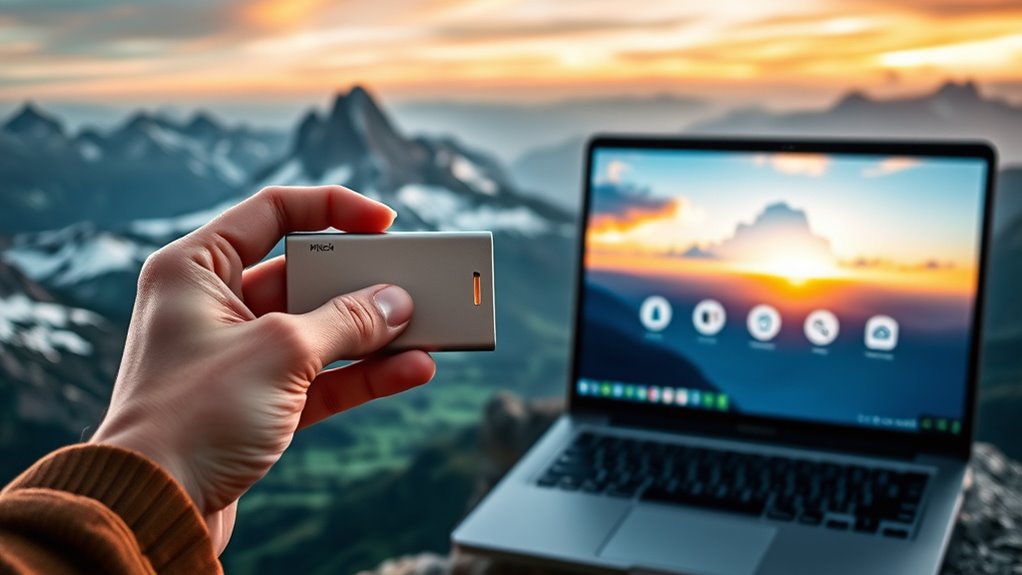
Travel photos capture your memorable moments, but without proper backups, they’re vulnerable to loss from device failure, theft, or accidents. When you’re on the road, it’s easy to forget how essential it is to implement a reliable backup strategy. You’ve probably taken countless photos, and the last thing you want is to lose those memories because of a simple mistake or unforeseen event. That’s why understanding your options for backing up travel photos—whether through cloud services or portable drives—is fundamental for protecting your images and guaranteeing they’re safe.
Protect your travel memories with reliable backups—cloud or portable drives ensure your photos stay safe from loss.
Photo organization plays a critical role in maintaining order and quick access to your shots, especially when managing backups. If your photos are cluttered or poorly organized, it becomes more difficult to identify what’s stored where, increasing the risk of accidental deletion or duplication. A good backup plan encourages you to keep your images systematically labeled and sorted, making it easier to restore specific photos if needed. When you use cloud storage, photo organization becomes even more streamlined. Most services automatically sort your images by date or location, allowing you to find what you need without digging through folders or scrolling endlessly. This organization not only saves time but also reduces the chances of losing important photos amidst a sea of files.
Data security is another essential aspect to consider when choosing a backup method. Cloud backups often come with advanced security features like encryption and two-factor authentication, giving you peace of mind that your photos are protected from hacking or unauthorized access. On the other hand, portable drives, while offering physical control over your data, require you to keep them secure from theft, damage, or loss. If you opt for portable drives, consider encrypting the drive itself or keeping it in a safe place when not in use. Both methods have their advantages and risks, so it’s wise to evaluate your specific needs. Cloud services provide automatic backups, reducing the chances of forgetting to save new photos, while portable drives give you offline access and control, especially in areas with limited internet connectivity.
Additionally, understanding data security best practices can help you better safeguard your stored images from potential threats. Ultimately, a combined approach offers the best protection. You can back up your travel photos to the cloud for convenience and automatic updates, while also maintaining a physical copy on a portable drive for extra security. Proper photo organization ensures you can quickly locate images across both platforms, and paying attention to data security keeps your memories safe from potential threats. By establishing a clear, multi-layered backup plan, you safeguard your travel memories against any mishap and preserve them for years to come.
portable external hard drive for travel photos
As an affiliate, we earn on qualifying purchases.
As an affiliate, we earn on qualifying purchases.
Frequently Asked Questions
How Do I Choose the Best Cloud Backup Service?
To choose the best cloud backup service, prioritize those offering reliable cloud storage with robust backup redundancy. Look for providers that automatically sync your travel photos, ensuring safety if your device fails. Compare storage limits, pricing, and security features like encryption. Read reviews to confirm dependable performance. Ultimately, pick a service that balances affordability, ease of use, and strong backup redundancy to safeguard your memories effectively.
What Are the Costs Associated With Portable Drives?
Portable drives typically cost between $50 and $150, depending on capacity and brand. You’ll want to think about drive durability, as higher-quality drives offer better protection for your photos during travel. When doing a cost comparison, remember that cheaper drives may lack durability, risking data loss. Investing in a reliable, durable drive might cost more upfront but can save you money and stress in the long run.
How Secure Is Cloud Storage for Sensitive Photos?
Your photos are safer than Fort Knox with cloud storage, thanks to strong encryption protocols that protect your sensitive images. However, always check the privacy policies of your provider, as they determine how your data is used and shared. While no system is completely infallible, reputable cloud services invest heavily in security measures, making your photos highly secure—just be cautious about sharing access or using unknown platforms.
Can I Access My Backups Offline Easily?
Yes, you can access your backups offline easily, especially if you use portable drives. They offer excellent backup convenience because you can plug them into your device anytime without internet. Cloud storage also provides offline access if you download specific files or folders beforehand. This way, you maintain backup accessibility even without an internet connection, ensuring your travel photos are always within reach when you need them most.
What Is the Average Lifespan of Portable Drives?
The average lifespan of portable drives typically ranges from 3 to 5 years, but it varies based on durability testing and how well you care for them. You should consider the manufacturer’s reputation, as reputable brands often produce more durable drives that withstand wear and tear better. Proper handling, avoiding extreme temperatures, and regular backups can extend your drive’s lifespan, ensuring your travel photos stay safe longer.
As an affiliate, we earn on qualifying purchases.
Conclusion
When it comes to backing up your travel photos, choosing between the cloud and portable drives is like deciding between a safety net and a trusty backpack. The cloud offers convenience and easy access from anywhere, while portable drives provide control and security offline. Think of your backup method as your travel companion—reliable and ready for any adventure. Whichever you pick, make sure it’s there when you need to relive those unforgettable moments.
As an affiliate, we earn on qualifying purchases.
As an affiliate, we earn on qualifying purchases.
Halloween Picks
halloween
As an affiliate, we earn on qualifying purchases.